What The Magic Market Is And How You Get There
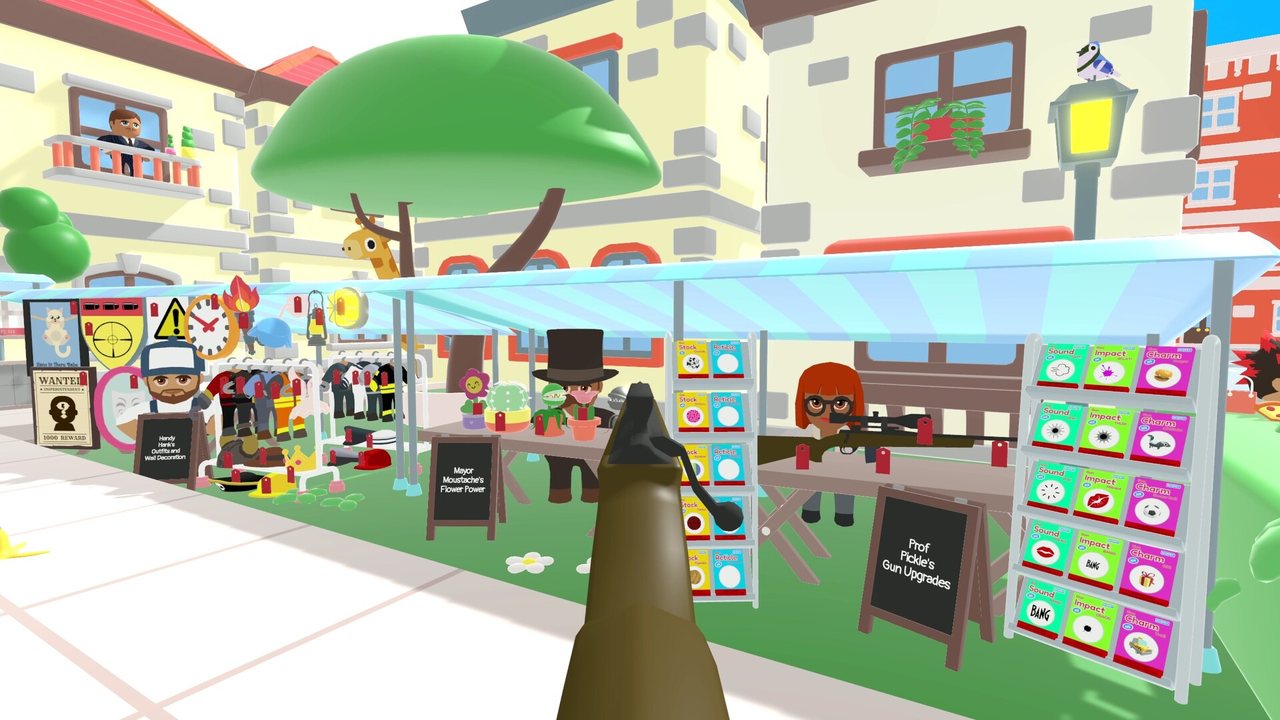
Magic Market is the shop you unlock once your first location is finished. You reach it the way you reach anything else: open the map, zoom in, select the market building instead of a job, and shoot its doors to go shopping. Shoot your own office doors to return to the desk.
The stock is not a fixed catalogue. Recordings from several builds carry the same line - new goods are always being delivered - and walls, flooring, outfits, furniture and mini-games turn up between shifts, and one shopkeeper admits some lines are sold out for the time being. Treat every price list as a snapshot of somebody else's run: the label in front of you is the only figure worth trusting.
Buying happens by shooting. Red price tags mark the goods you can purchase, and nothing lands in the office straight away: a package from Magic Market is delivered and you shoot it open to place the shelf, bell or plant. Completion screens usually name the furniture a new reward needs, so read them first.
Watch the linked creator’s original gameplay. Use the current in-game clues if the setup differs.
Cash, Reputation And Hints: Two Currencies, Two Jobs
Jobs pay cash and reputation, and the market takes both - its own wording is spend your cash and rep on upgrades and decorations. Some recordings' subtitles call the second currency stars and the first coins, so do not be thrown if your build words it differently.
Cash covers rifle upgrades, décor, mini-games and the permit that opens the next location. Reputation is what the tutorial points at when it says you can get more hints by trading rep at the Magic Market. Hints are the one line priced in something other than money, so they look free of consequences. They are not.
The naive move is to buy a hint the moment a job looks odd. One recording states plainly that a hint will reduce the rank, and job summaries count hits, bad hits and hints used separately. Perfect locations are what hand out plushies and magnets, so an unnecessary hint costs you twice: the reputation, and the ranking that decides the reward.
Footage shows different builds redeeming a hint with different buttons, so follow the on-screen prompt for the selected job.
Rifle Upgrades: Work Out Which One You Need
The gun lines change three things: how fast the rifle cycles between shots (reload and bolt action), how many rounds you get before it cycles (magazine or clip), and how far you can zoom (scope). Footage shows those upgrades on one shelf, and they are not interchangeable.
Choose from your own failures rather than a tier list. If an emergency window closes while you are still working the bolt, cycling speed is your upgrade. If you run dry mid-job with shots still to take, it is the magazine. If you cannot tell which object the clue means at range, it is the scope, though extra zoom rarely helps on a close, cluttered scene.
Read an item's own description and price before you shoot it: those move between builds and patches, and footage shows the same reload line quoted very differently, with one early visit finding it priced far beyond what the first shifts paid out. If the cheapest useful line fixes the job you just failed, buy it; if only the expensive one appeals, wait a shift.
- 01Finish the location first, then look again at which job or emergency went wrong.
- 02Ask whether you failed to find the target, ran out of rounds, or ran out of time while the rifle was cycling.
- 03Open the market and read the item text that names that specific problem, not the item with the biggest number.
- 04Check the price against what your jobs actually pay now, and against the cash you want to keep for a permit.
- 05After buying, shoot the delivery package open in the office so the upgrade is applied, then test it on the next job.
Décor, Costumes And The Bonuses That Compound
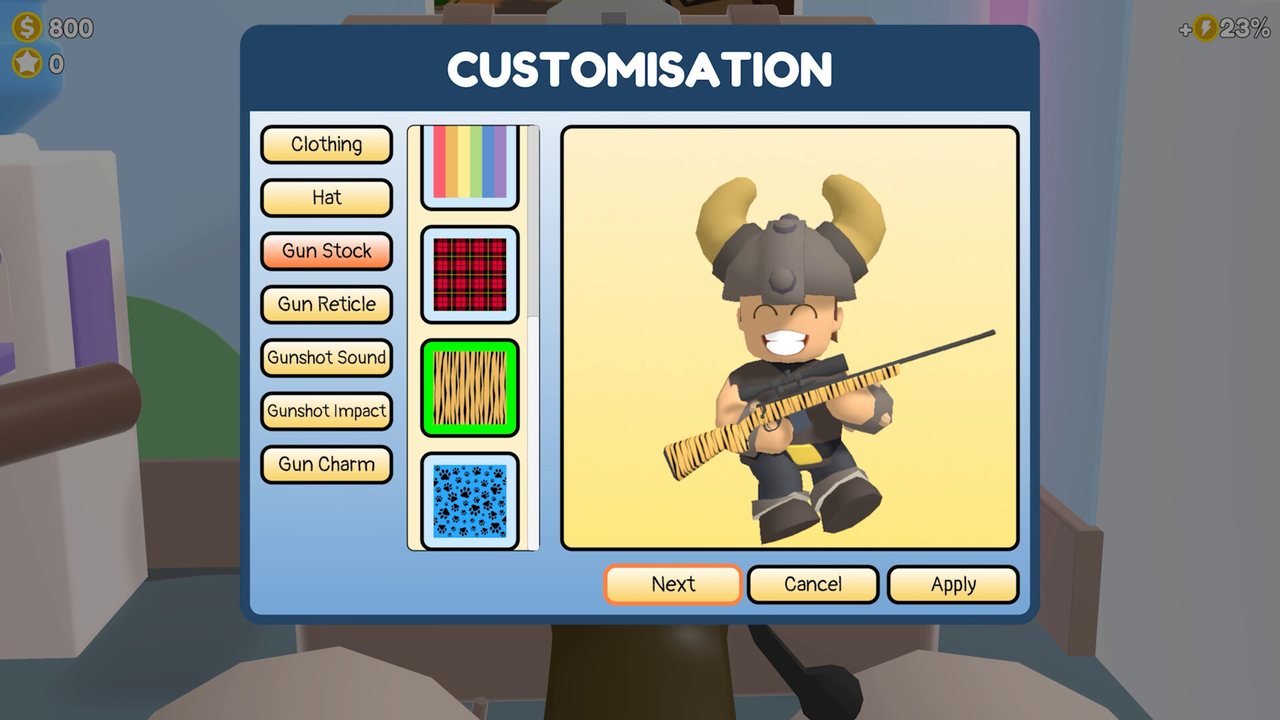
Much of the catalogue is office furniture, and it matters because the shop says many items give a small bonus for completing jobs. Call bells, a tidier work surface, better back support, a flower, a fridge, a water cooler and a ceiling fan are décor first and modest income help second.
The cheap end of that list is the best value while you are still working a location: an item that costs little and pays back on every job compounds while you clear the rest. The logic cuts the other way too: décor bought on your last shift there pays you nothing.
Cosmetics are a separate decision. Outfits, wall paint, ceilings and flooring change how Dan and his office look, and at least one outfit in the footage carries the same kind of job bonus as the furniture. The gacha machine is random and repeats, so do not spend chasing one particular plushie, and display furniture mounts rewards you already own rather than improving anything.
- Bonuses are small and per job, so they suit a player who will keep working the same location.
- Cheap bonus décor early, cosmetics late, mini-games last.
- Display furniture is only worth shooting once you own a reward that needs mounting.
- You can change which decorations are on show, so nothing displayed is permanent.
Mini-Games, Photos And The Rest Of The Catalogue
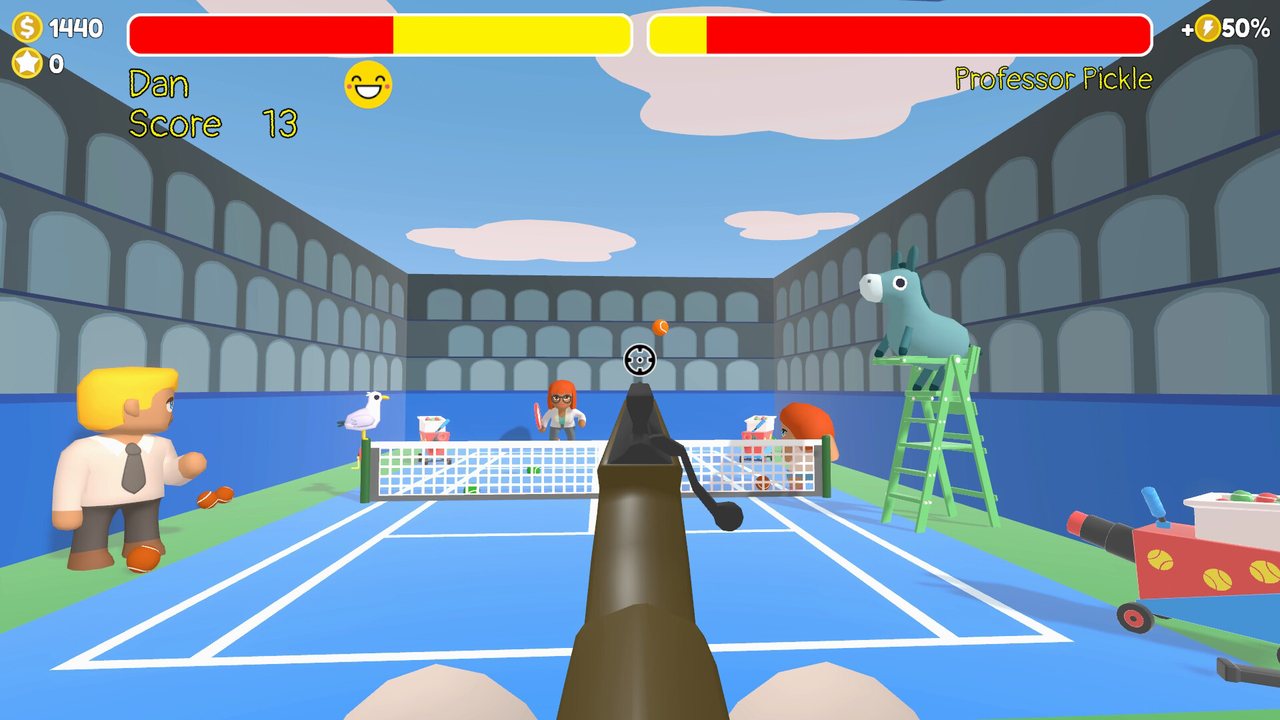
The market also sells things that never touch a job. Recordings show bowling, air hockey and tin tennis bought as one-off unlocks and then played in your own office, plus a camera item tied to the game's photo side rather than to the rifle.
There are also new way to play and special jobs lines, one described as completing every job at a location against the clock, which is a rerun rather than a boost. Older demo footage was full of items marked unavailable, one shop visit ending with the line that everything else is only available in full version, so check an item's own unlock text rather than assuming a demo limit applies to your build.
None of this makes a job easier, which is the point: it is where spare cash goes once the upgrades you need are bought. Between a mini-game and the upgrade that fixes your cycling, postpone the mini-game.
Watch the linked creator’s original gameplay. Use the current in-game clues if the setup differs.
How To Avoid Wasting Currency
Most waste in the market is buying an answer before you know the question. The clue names a place, so scope it before you consider a hint. A job about pipes, a valve or a stuck animal rarely needs one, since the shots are visible once you look, while a clue naming somewhere you cannot find might justify spending reputation.
Never spend down to your last coin either. The permit for the next location is bought with cash from the map - shoot the permit to expand your business - and one recording warns you to keep money back for that. A reserve stops you finishing a location with nothing left to buy.
The table below is the order the purchase decisions in the footage suggest, with the trade-off spelled out. Use it as a decision aid rather than a price list, and confirm wording and cost on your own shelf.
- 01Note your cash and reputation before you enter the market, and what a permit would cost you right now.
- 02Name the reason your last job lost rank, then hunt only for the item that answers that reason.
- 03Keep a permit-sized reserve untouched until the next location is open.
- 04Skip anything you cannot use yet: a shelf with no reward, a scope for a scene you have already read, a mini-game while your reload is still costing you jobs.
- 05Shoot the delivery package open and check the office to confirm the purchase landed.
| Buy first | Why it earns its price | When to skip it |
|---|---|---|
| A cheap office bonus item (bell, plant, desk tidy, water cooler, fan) | Small bonus to job payouts, cheap enough that a few completed jobs cover it, and it keeps paying while you work the location | Skip if the item text claims no job bonus, or if buying it would break your permit reserve |
| Reload or bolt-action line | The only fix for losing timed emergencies while the rifle is still cycling | Skip if your lost jobs are about finding the target, not about shot timing |
| Magazine or ammo clip line | Fewer interruptions when a job needs several shots inside one window | Skip while you still finish jobs with rounds to spare |
| Scope or zoom line | Helps you resolve a small object or read a busy scene at range | Skip if you can already read every clue on the default zoom, or if it is the priciest line on the board |
| A hint, bought with reputation | Unsticks you when the clue is genuinely ambiguous and the place cannot be found by scoping | Skip whenever the clue names somewhere you can scope, and remember a hint is reported to cost rank |
| Display furniture (plushy shelf, fridge) | Mounts the plushie or magnet you already earned, and some pieces advertise their own bonus | Skip until you own a reward that needs it - but it is what the completion message tells you to buy, so do not skip it forever |
| Outfit or costume | Changes how Dan looks, and some outfits advertise the same kind of job bonus as décor | Skip the purely cosmetic ones while cash is tight and the next permit is unaffordable |
| Mini-game or camera unlock | Extra thing to do in the office once the working day is over | Skip until your rifle and bonus purchases are done, because it never helps a job |
Patch #2 (October 15): The Hints Tutorial And Mini-Game Fixes
PC Patch #2 went live on October 15 and its first entry is aimed straight at this shop: players kept not realising the market sells hints. A new tutorial now appears the first time you enter the Magic Market and explains how to purchase more when you need a helping hand. The currency rules above are unchanged — hints are still bought with reputation, and using one still counts against your rank.
All three mini-games also picked up tips. Finish bowling, air hockey or tennis for the first time and the results screen now carries a tip for that game — a small addition, but the first in-game advice the mini-games have had.
The bug-fix half of the patch lists five mini-game repairs: air hockey no longer awards a false "Max Score" and "Victory" if you shoot Mrs Mop the moment a game begins; the dotted aiming line in bowling no longer stays visible after you quit through ESC; Handy Hank's hat no longer lingers on the ground when you switch between mini-games, and hats can no longer be shot off during one; the high score display on the map now updates when you switch locations in Bonus Games; and pausing a mini-game to open the Steam Overlay no longer risks making the game unresponsive.
One improvement fits the same group: tennis balls darken once they have been shot, so the balls still in play are easier to tell apart. None of this reprices the catalogue or changes how the market trades — the patch teaches and repairs the mini-games rather than retuning them.
| What changed | Before the patch | After the patch |
|---|---|---|
| Buying hints | Nothing in the market explained that more hints can be bought | A tutorial appears the first time you enter the Magic Market |
| Mini-game tips | Finishing a mini-game for the first time showed only your results | The first results screen carries a tip for that mini-game |
| Air hockey start | Shooting Mrs Mop immediately could incorrectly trigger "Max Score" and "Victory" | Fixed |
| Bowling aiming line | The dotted aiming line could stay visible after quitting via ESC | Fixed |
| Bowling hat | Handy Hank's hat could remain on the ground after switching mini-games | Fixed; hats can no longer be shot off during mini-games |
| Bonus Games high score | Switching locations on the map did not update the displayed high score | Fixed |
| Steam Overlay | Pausing a mini-game and opening the overlay could make the game unresponsive | Fixed |
| Tennis | Shot balls looked the same as the ones still in play | Balls darken after they are shot |
Patch wording comes from the developer's own announcement (October 15, 2026), not from a third-party patch list.
Further viewing and references
For precise targets, compare your own current mission against the source footage. Older demo material and screenshots may differ from the full release.